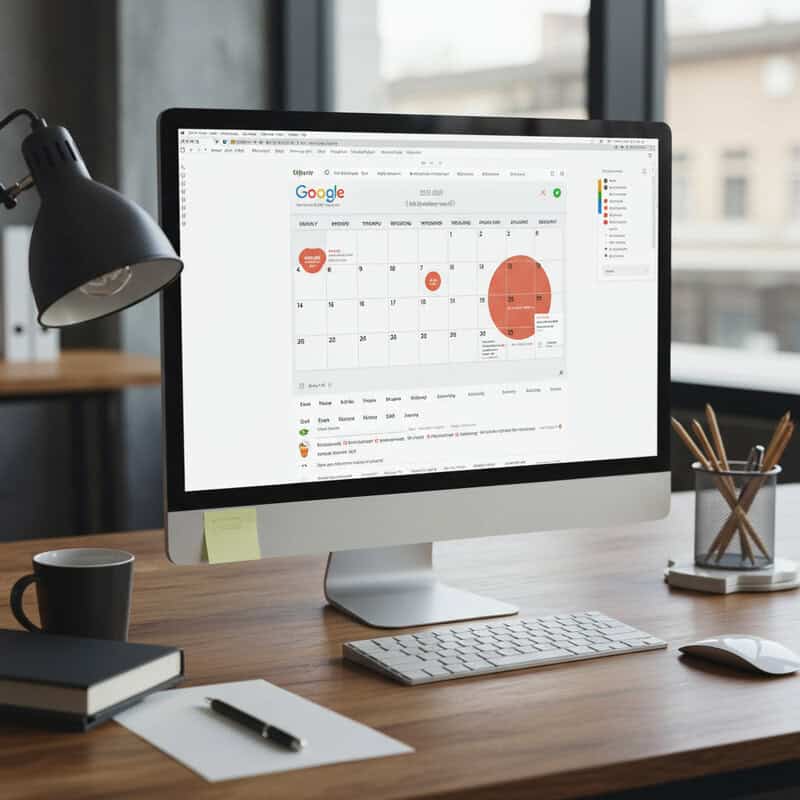
In a world that never slows down, keeping everything in order can feel like a daunting challenge. Fortunately, a wide range of contemporary solutions—spanning both digital applications and traditional methods—have been developed to simplify everyday routines, enhance efficiency, and lower anxiety. By incorporating these resources into your daily life, you can take charge of your calendar, handle tasks more effectively, and carve out extra time for the things that truly count. Explore how the perfect blend of software, notebooks, and frameworks can revolutionize your organizational approach. For additional insights, check out resources from The New York Times: Get Organized.
1. Google Calendar
A polished digital calendar showing a vibrant, structured weekly view makes scheduling appointments simple and streamlined. | Generated by Google Gemini
Google Calendar is a robust scheduling platform built to assist with managing meetings, deadlines, and notifications efficiently. It works smoothly with other Google Workspace applications such as Gmail and Google Meet, enabling automatic event creation and teamwork. When stacked against rivals like Outlook Calendar, Google Calendar shines due to its intuitive layout and strong sharing capabilities, which are perfect for coordinating with family members or colleagues. Its mobile version ensures you can view and modify your agenda from anywhere. For further details, visit the Google Calendar Help Center.
2. Todoist
A well-arranged task list on a digital organizer, with each completed item marked off neatly. | Generated by Google Gemini
Todoist is a flexible task management application that allows users to generate to-do lists, establish priorities, and track performance effortlessly. Its straightforward design lets you arrange tasks by category, deadline, or importance. In contrast to options like Microsoft To Do, Todoist provides powerful features including shared projects, performance monitoring, and sophisticated recurring task settings. Collaboration is smooth, making it appropriate for both individual and group use. Its neat layout and availability across multiple devices further boost organizational capabilities. For a comprehensive assessment, read The Verge: Todoist Review.
3. Trello
A vibrant Kanban board displays project tasks arranged in columns, offering a visual representation of workflow for streamlined project oversight. | Generated by Google Gemini
Trello employs a distinctive card-and-board method to help users arrange projects, duties, and processes visually. Its drag-and-drop functionality makes monitoring advancement, delegating tasks, and tailoring boards for individual or collaborative efforts straightforward. Compared to systems like Asana and Notion, Trello is notable for its ease of use and visual appeal, making project handling instinctive and versatile for various uses. Its adaptability works well for everything from home tasks to intricate business operations. For guidance on starting, refer to Trello’s Official Guide.
4. Evernote
A polished digital notebook showcasing well-organized notes and color-coded segments, demonstrating effective and contemporary note-taking. | Generated by Google Gemini
Evernote is an all-encompassing tool for capturing notes, arranging ideas, and converting physical documents into digital format. With capabilities like the web clipper, you can store articles, pictures, and websites directly into your notebooks for quick retrieval. Evernote’s robust search feature allows you to locate notes swiftly, even scanning text inside images and PDFs, which provides an advantage over competitors such as Microsoft OneNote. Additionally, it lets users digitize and sort physical paperwork, making information reachable at any time. For a thorough analysis of its functions, read CNET’s review of Evernote.
5. Notion
A contemporary workspace app dashboard showing customizable templates, with a diverse group collaborating in real time on their laptops. | Generated by Google Gemini
Notion provides a unified workspace that merges note-taking, task oversight, databases, and project scheduling. Its highly adaptable interface allows users to craft personalized pages, templates, and processes that fit both personal and team requirements. Collaboration is fluid, with live editing and sharing capabilities. When compared to tools like Airtable, Notion offers more adaptability for combining various content types within a single platform, making it perfect for arranging complex projects or everyday schedules. To delve into its robust features and find out how to begin, visit Notion’s official documentation.
6. Habitica
Habitica turns habit formation into a game using RPG elements, social challenges, and rewarding productivity for its users. | Generated by Google Gemini
Habitica converts habit tracking into a gaming experience, inspiring users to cultivate better routines and increase efficiency. By finishing tasks and daily objectives, users earn rewards, advance their characters, and unlock virtual goods—making ordinary accomplishments feel more exciting. Habitica’s social features foster responsibility through group challenges and party quests. In contrast to other habit apps like Streaks, Habitica stands out for its RPG-inspired design and cooperative aspects, attracting those who enjoy gamification. To find out how Habitica can assist you in boosting your real-world productivity, visit Habitica’s About Page.
7. RescueTime
A polished digital dashboard featuring colorful graphs and clocks, depicting time tracking and productivity analytics for concentrated work. | Generated by Google Gemini
RescueTime is a digital efficiency tool that automatically records how you spend your time on gadgets, generating detailed reports on your routines and effectiveness. It examines activities, pinpoints interruptions, and proposes practical enhancements to help you concentrate better. Unlike manual trackers such as Clockify or basic timers like Focus Booster, RescueTime provides intelligent, automated insights and instant notifications. Its goal-setting functions and weekly summaries enable users to make wiser choices regarding screen time. For a complete overview of its features, visit the RescueTime Features Page.
8. Microsoft OneNote
Two individuals working together on a digital notebook, recording ideas and exchanging notes on a bright tablet screen. | Generated by Google Gemini
Microsoft OneNote serves as a digital notebook, allowing users to arrange notes, concepts, and multimedia content in a flexible, multi-section layout. It provides strong handwriting support, making it perfect for stylus users and those who prefer freeform note-taking. Integrated smoothly with Microsoft 365, OneNote enables effortless sharing and live collaboration, which is notably stronger compared to simpler tools like Google Keep or even Evernote. Its deep connection with other Microsoft applications boosts productivity for both teams and individuals. For additional details, visit Microsoft’s OneNote Help Page.
9. Slack
Slack centralizes team communication, integrates productivity tools, and streamlines collaboration through an intuitive interface. | Generated by Google Gemini
Slack is a premier communication platform designed to enhance team collaboration and project organization. Its channels and direct messaging features consolidate discussions, making it simpler to handle conversations and exchange files. Slack connects with a vast array of productivity tools, including Google Drive, Trello, and Asana, enabling teams to automate processes and access resources within a single interface. Compared to Microsoft Teams, Slack is frequently commended for its user-friendly design and extensive third-party integrations. To keep up with new features and optimal practices, visit the Slack Official Blog.
10. Forest
Gamified productivity app Forest rewards concentration by growing virtual trees, promoting focus through visual encouragement. | Generated by Google Gemini
Forest is a distinctive productivity application that motivates users to concentrate by planting and nurturing virtual trees whenever they refrain from using their phones. This gamified method taps into psychological drive, making periods of focus feel rewarding and visually gratifying. Unlike audio-based focus tools like Focus@Will, Forest relies on visual advancement and a sense of responsibility toward your digital woodland. The app’s straightforwardness and engaging design make it especially attractive for students and professionals aiming to reduce digital interruptions. To discover more, visit the official Forest website.
11. Google Keep
A digital note app showing colorful sticky notes and reminders, keeping everyday tasks arranged and easily reachable. | Generated by Google Gemini
Google Keep is a simple note-taking app that allows users to quickly record ideas, create checklists, and set alerts. Its user-friendly interface facilitates easy organization through color-coded notes and labels. Google Keep’s sharing features enable real-time collaboration on lists or notes, giving it an advantage over Apple Notes in group contexts. The powerful search function makes locating specific information effortless, even across numerous notes. Smooth integration with other Google Workspace apps boosts overall efficiency. To explore additional features and advice, visit the Google Keep Help Center.
12. Zapier
A streamlined workspace featuring digital screens displaying automated workflows, seamlessly integrating multiple tools for efficient project management. | Generated by Google Gemini
Zapier is a robust automation tool that simplifies repetitive tasks by linking thousands of web applications. It enables users to create custom workflows, called “Zaps,” which automatically transfer data or trigger actions between apps without manual effort. This can save considerable time and minimize mistakes in daily routines. In contrast to IFTTT, Zapier offers more sophisticated workflow customization and supports a wider range of business tools, making it suitable for both individuals and organizations. To begin and explore automation possibilities, visit the Zapier Learning Center.
13. Pocket
A person presses a “read later” button on their phone, saving interesting articles for future reading. | Generated by Google Gemini
Pocket simplifies saving articles, videos, and web pages for later consumption, enabling you to compile content from across the internet in a single handy location. Its offline access feature allows you to enjoy saved items anytime, even without an internet connection. Pocket’s tagging and recommendation system helps organize and uncover new content, making it more adaptable than alternatives like Instapaper. The clean interface and integration with browsers and mobile devices improve the experience. To learn more about its features and advantages, visit Mozilla’s Pocket Overview.
14. Apple Reminders
Apple Reminders simplifies task management with seamless Siri integration, shared lists, and location-based alerts. | Generated by Google Gemini
Apple Reminders is a flexible task management application deeply integrated with iOS devices, offering features like time- and location-based alerts to help users recall important tasks wherever they are. Its straightforward interface supports multiple lists and allows easy sharing with family or coworkers, facilitating cooperative planning. Compared to Google Tasks, Apple Reminders stands out for its deep integration with Siri and other Apple ecosystem features, ensuring reminders are accessible across all Apple devices. For more details on setup and advanced features, visit Apple’s Reminders Support Page.
15. Dropbox
Dropbox enables seamless file storage, instant syncing, and secure collaboration across all your devices. | Generated by Google Gemini
Dropbox provides dependable cloud storage and file organization, making it simple to keep documents, photos, and other critical files accessible from any device. Its powerful syncing capabilities ensure that changes are reflected instantly across platforms, while robust sharing features simplify collaboration with colleagues or friends. Dropbox also offers automatic file backup, protecting your data from loss. In comparison to Google Drive, Dropbox is recognized for its intuitive interface and smooth integration with various third-party applications. To explore more about Dropbox’s capabilities, visit the Dropbox Features Overview.
16. Bullet Journal
A neatly organized bullet journal lying open, revealing a beautifully handwritten planner filled with colorful notes and doodles. | Generated by Google Gemini
The Bullet Journal is a physical organization method that merges task lists, event logs, and notes within a single notebook. Created by Ryder Carroll, this approach offers unmatched flexibility, allowing users to customize layouts, trackers, and collections to match their personal preferences and requirements. Unlike digital planners, Bullet Journaling promotes mindfulness and creativity through hand-drawn elements and custom spreads. It’s especially favored by those who enjoy a tangible, distraction-free planning experience. For inspiration, tutorials, and community resources, visit the official Bullet Journal website.
17. Asana
A sleek digital task tracker showing organized project management workflows, with color-coded tasks and clear progress indicators. | Generated by Google Gemini
Asana is a powerful task and project management platform designed to help individuals and teams organize work, set priorities, and monitor progress. It offers multiple workflow visualization options, including lists, boards, and timelines, making it easy to adapt to different project styles. Compared to Trello’s card-based system, Asana provides more advanced features for managing dependencies, tracking milestones, and automating repetitive tasks. Its wide range of integrations, such as with Slack, Google Drive, and Microsoft Teams, further enhances collaboration. For guides, templates, and best practices, explore Asana’s resources.
18. Moleskine Planners
A neatly stacked collection of a paper planner, diary, and notebook, ready for a productive day ahead. | Generated by Google Gemini
Moleskine planners are a classic option for those who appreciate the hands-on experience of paper organization. Known for their high-quality materials, sturdy covers, and smooth pages, Moleskine planners offer a satisfying way to schedule appointments, note tasks, and reflect on objectives. Physical planners provide an escape from digital distractions and are portable for use on the go. In comparison to Leuchtturm1917 planners, Moleskine is often praised for its minimalist design and range of formats. For those seeking a traditional, dependable paper planner, browse the options at the Moleskine Official Shop.
19. Focus@Will
A young professional wearing headphones sits at a desk, immersed in focus music to boost productivity and concentration. | Generated by Google Gemini
Focus@Will uses scientifically designed music tracks specifically crafted to improve concentration and efficiency. By curating playlists that aim to reduce distractions and stimulate focus, it helps users maintain attention during work or study sessions. In contrast to Brain.fm, Focus@Will offers a wider variety of music genres and customization options, allowing users to find the ideal sound environment for their specific needs. Many users report noticeable improvements in workflow and task completion. To explore the scientific research supporting its effectiveness, visit the Focus@Will Research Page.
20. Freedom
A computer screen displaying a distraction blocker app, highlighting blocked websites to help users stay focused and productive. | Generated by Google Gemini
Freedom is a digital productivity tool that allows users to block distracting websites and apps across devices, helping maintain focus during work or study sessions. Its intuitive interface enables you to create custom blocklists and schedule distraction-free periods, reducing the temptation to procrastinate. Compared to Cold Turkey, Freedom stands out for its cross-platform compatibility and user-friendly scheduling features, making it easy to plan recurring focus sessions. Whether for deep work or digital detox, it’s a practical solution for improving concentration. Discover more about its capabilities at the Freedom Features Page.
Conclusion
A selection of digital and paper planning tools designed to enhance productivity and organization. | Generated by Google Gemini
With an extensive range of organizational tools available—from digital apps to classic paper planners—there’s a solution for every lifestyle and preference. Trying out different platforms can help you identify the ideal combination to simplify your routines, increase efficiency, and lower stress. Often, mixing digital convenience with analog mindfulness yields the best outcomes. Embrace the tools that suit your unique needs and continuously refine your system for ongoing success. For further inspiration and guidance, explore resources like Lifehacker’s organization tips.