The mobile operating system you settle on quietly influences nearly everything you do on your phone, from the apps you can install to how much control you retain over your personal information. iOS and Android command the vast majority of the global handset market, which is why most shoppers end up comparing those two heavyweights. Still, lesser-known contenders like HarmonyOS and Ubuntu Touch are steadily carving out space at the margins. Below, we unpack the differences between these environments, highlight what each does well and where they stumble, and walk you through picking the one that best matches your habits and expectations.
Pinpoint What Matters Most to You
Weighing priorities before picking a phone: must-have apps, ecosystem, security, price range, and customization needs. | Generated by Google Gemini
Start by taking stock of how you actually use a phone day in and day out. Think about which apps you can't live without, whether smooth syncing with your other gadgets is essential, and how much you care about keeping your data locked down. Your spending limits, the brands you trust, and whether you prefer tweaking every setting or enjoying a no-fuss experience all play into the equation. Nailing down these priorities early on eliminates options that simply won't match your everyday requirements.
If you lean heavily on Apple products, that tight-knit setup might nudge you in iOS's direction. Meanwhile, Android's reputation for affordable hardware could draw your attention (source). Mapping out your routine and tastes sets the foundation for a decision you'll feel good about.
Examine How Each Platform Feels Day-to-Day
Side-by-side interface overview: iOS's clean uniformity set against Android's flexible, customizable design. | Generated by Google Gemini
Get a feel for what each operating system is actually like to live with. iOS delivers a tidy, uniform layout and effortless navigation, though you won't find much room to make it your own. Android swings the other way, offering deep personalization through widgets, launchers, and the freedom to swap out default applications whenever you want.
Accessibility options vary between the two, so factor in any specific requirements you might have. Spending time with display units at a shop or watching walkthrough videos online gives you a clearer mental picture (source). Weighing these touchpoints side by side reveals which environment suits your habits and comfort level.
Weigh App Libraries and Cross-Platform Support
App store comparison: curated Apple App Store offerings versus the wide-ranging Google Play Store. | Generated by Google Gemini
Look closely at what each store brings to the table. The Apple App Store is celebrated for its carefully vetted collection and frequent first-look releases of sought-after titles. The Google Play Store counters with sheer volume and more open submission policies. Check whether the apps you depend on exist and stay current on your preferred platform. Also, reflect on how well your phone needs to play nice with wearables, smart home gear, and similar accessories (source). A compatible ecosystem keeps your digital life running without friction.
Look Into Safety and Data Protection
Privacy and security benchmarks: update speed, permission controls, and data safeguards by platform. | Generated by Google Gemini
Guarding your information and your privacy deserves serious attention during any platform comparison. iOS earns high marks for steady operating system rollouts, tightly controlled app permissions, and sturdy privacy safeguards. Android hands you more granular control over privacy preferences, though patch timing and security strength can shift depending on the device maker.
Niche options such as Ubuntu Touch lean on open-source transparency as a core selling point. Study how each system handles permissions, patches, and data handling (source). Putting strong defenses and consistent updates at the top of your list keeps your information safer and lets you use your phone with confidence.
Discover Lesser-Known OS Options
Niche mobile platforms worth knowing: HarmonyOS for IoT integration and /e/OS for privacy seekers. | Generated by Google Gemini
Even though iOS and Android rule the roost, systems like HarmonyOS and /e/OS bring unique perks to specific user groups. HarmonyOS shines when paired with Huawei's IoT gadgets, offering smooth multi-screen handoffs that appeal to anyone already invested in that brand's universe. /e/OS draws privacy-minded users with its open-source roots and Google-free approach, though you may run into gaps in app support (source). These alternatives won't be for everyone, yet they deserve a look if your priorities or principles set you apart from the mainstream crowd.
Match Hardware Choices to Your Wallet
Hardware variety and price comparison: Apple's focused premium iPhone line versus Android's broad device spectrum. | Generated by Google Gemini
The range of phones available and what you're willing to spend carry real weight in this decision. Apple presents a focused selection of iPhones built with premium materials, but that quality comes at a cost and with limited variety. Android's strength lies in covering an enormous spread, from wallet-friendly starter phones all the way up to elite flagships, fitting virtually any price point (source). Alternative systems such as /e/OS work with a narrower list of handsets, though that list keeps expanding. Balancing your finances against the models on offer helps you land on a device that checks both your functional and budgetary boxes.
Think About How Devices Work Together
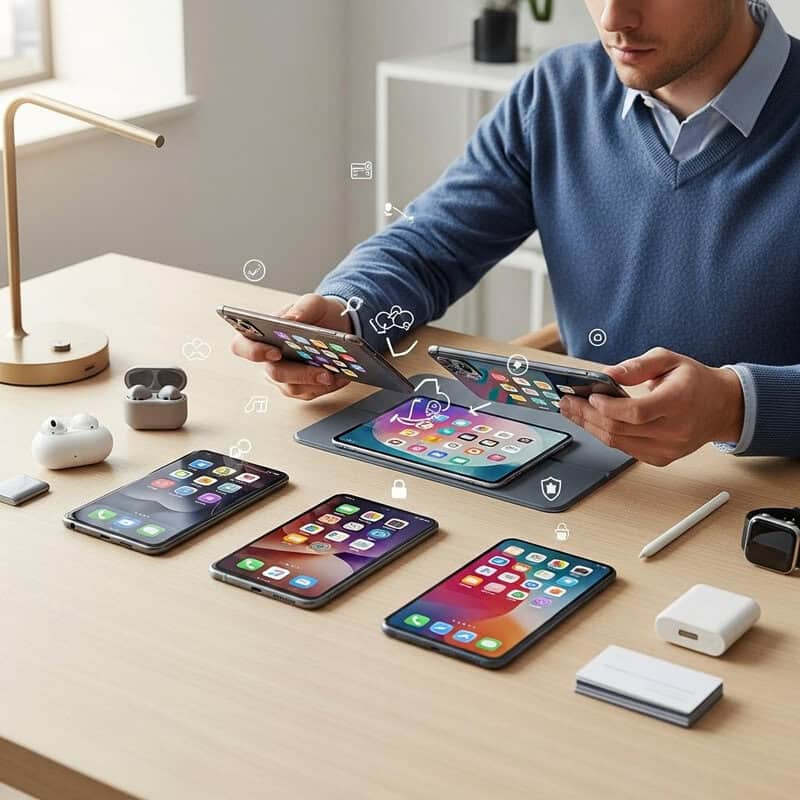
A lineup of modern devices syncing smoothly, surrounded by smart home products working in concert. | Generated by Google Gemini
Picture how naturally your phone will mesh with the other equipment you own or plan to buy. Apple's tightly woven ecosystem lets iPhones, iPads, Macs, and Apple Watches share data effortlessly, with tools like Handoff and AirDrop smoothing out everyday tasks (source).
Android takes a broader, more open approach, playing well with numerous manufacturers and tying into Google services, Chromebooks, and a wide range of smart home products (source). Alternative platforms may not deliver the same level of polish in cross-device workflows, but they can attract anyone hoping to step away from the big tech umbrella. Make compatibility a priority to enjoy a fluid, connected setup.
Get Hands-On Before You Commit
Trying out devices in person or through virtual demos to gauge performance and comfort. | Generated by Google Gemini
Before you sign on the dotted line, carve out some time to put each system through its paces. Drop by a store to fiddle with handsets, poke around the menus, and get a real sense of how they perform. Online simulators such as Appetize.io offer a risk-free virtual trial, and borrowing a device from someone you know for a short stretch works just as well. Direct exposure reveals things spec sheets can't, including how snappy the interface feels and whether the phone sits comfortably in your hand (source). Diving into different platforms firsthand makes sure your ultimate pick genuinely matches how you live and work.
Wrapping Up
Carefully comparing mobile platforms leads to a smooth, personalized digital experience that suits your life. | Generated by Google Gemini
Your phone's operating system is the foundation of your daily digital routine, and the right choice pays off for years to come. Taking time to reflect on your personal must-haves, comparing how different interfaces feel, sizing up available apps, and weighing privacy, security, and cost arms you with what you need to commit with confidence.
Don't sidestep the value of ecosystem harmony or real-world testing—these final checks can make or break long-term satisfaction. Whether iOS, Android, or an alternative platform earns your vote, a deliberate approach ensures a match that genuinely complements your lifestyle (source). After all, your phone should work for you, so let your own priorities steer the decision.

%22%20%2F%3E%0A%20%20%20%20%20%20%3Cstop%20offset%3D%22100%25%22%20stop-color%3D%22hsl(121%2038%25%2069%25)%22%20%2F%3E%0A%20%20%20%20%3C%2FlinearGradient%3E%0A%20%20%3C%2Fdefs%3E%0A%20%20%3Crect%20width%3D%221200%22%20height%3D%22750%22%20fill%3D%22url(%23bg)%22%20%2F%3E%0A%20%20%3Ctext%20x%3D%22600%22%20y%3D%22286.5%22%20text-anchor%3D%22middle%22%20fill%3D%22hsl(130%2052%25%2036%25)%22%20font-family%3D%22Inter%2C%20ui-sans-serif%2C%20system-ui%2C%20sans-serif%22%20font-size%3D%2224%22%20font-weight%3D%22700%22%20letter-spacing%3D%220.22em%22%3ETECH%3C%2Ftext%3E%0A%20%20%3Ctext%20text-anchor%3D%22middle%22%20fill%3D%22hsl(327%2038%25%2020%25)%22%20font-family%3D%22Georgia%2C%20'Times%20New%20Roman'%2C%20serif%22%20font-size%3D%2250%22%20font-weight%3D%22700%22%3E%3Ctspan%20x%3D%22600%22%20y%3D%22351.5%22%3EYouTube%26apos%3Bs%20So-Called%20%26apos%3BOpen%3C%2Ftspan%3E%3Ctspan%20x%3D%22600%22%20y%3D%22410.5%22%3ELetter%26apos%3B%20on%20Logan%20Paul%20Is%3C%2Ftspan%3E%3Ctspan%20x%3D%22600%22%20y%3D%22469.5%22%3EAnything%20But%20Transparent%3C%2Ftspan%3E%3C%2Ftext%3E%0A%3C%2Fsvg%3E)